
How to Adjust Hearing Aid Settings for Outdoor Noise
Life in the Four Corners pulls you outside. You might spend the morning
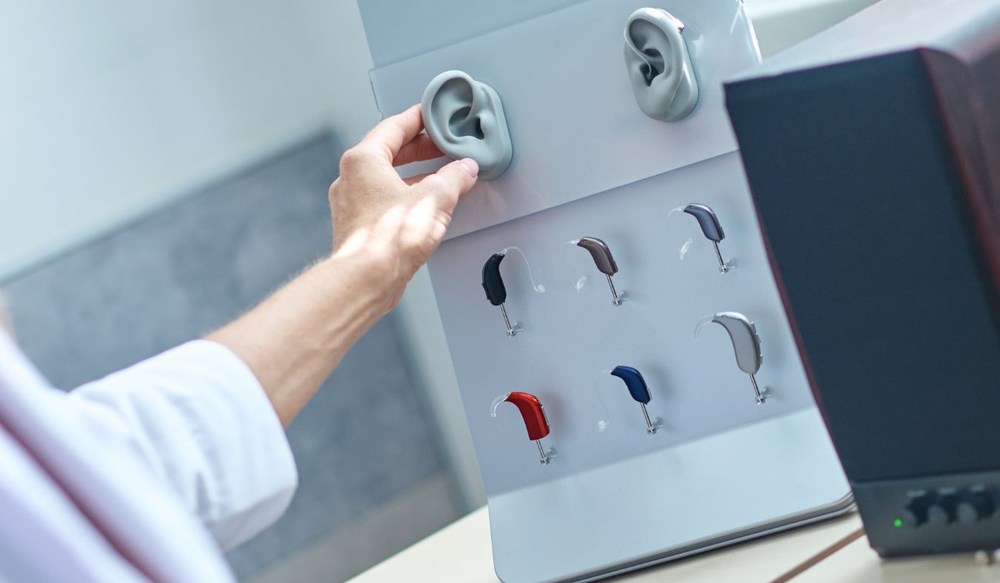
By: Kristy Tucker, BC-HIS | September 21, 2026
Life in the Four Corners pulls you outside. You might spend the morning along a river trail, head into the high desert later or finish the day talking in the backyard.
Wind comes with the territory, especially across open stretches where there isn’t much to block it. Add a little distance between people, and a conversation outside can sound very different through hearing aids than one around the kitchen table.
Your usual hearing aid settings may not always suit what’s happening outside. The wind might pick up halfway through a walk, or nearby activity may suddenly compete with the person beside you.
Many hearing aids have controls or programs you can use when those changes happen. Once you’re familiar with what’s available on your devices, you can choose a setting that suits where you are and what you’re trying to hear.
Outside, sound travels without the walls and ceilings you have indoors. A person’s voice spreads across the open area, so distance can make speech quieter by the time it reaches you.
Wind passing over hearing aid microphones may create a rushing noise that competes with conversation. Passing cars, nearby conversations and outdoor equipment may also enter and leave what you’re hearing as you move around.
Indoors, walls and furniture reflect or absorb some of the sound before it reaches your ears. Outside, your hearing aids pick up sound coming from farther away and from more directions.
Some outdoor sounds are brief, while others continue in the background for quite a while. Your hearing aids may respond as those sounds appear, disappear or change in volume.
You might run into:
You may still hear someone talking but miss enough of each word that you have to fill in the gaps yourself.
Following the conversation then takes more concentration, particularly when people speak quickly or change topics. Hearing aids process the speech and surrounding noise together, so the difference between the two becomes especially important outdoors.
Many hearing aids include features meant for listening situations where several sounds are reaching the microphones at once. Depending on your devices, you may have access to options like:
Noises coming from other directions receive less emphasis. This can be useful when you’re sitting across from someone on a patio or talking during an outdoor gathering.
If the person moves beside or behind you, turning toward them puts their voice back in the microphone’s main listening area.
Wind becomes a problem when moving air hits the microphones and creates turbulence around their openings. Your device detects the irregular, low-frequency sound produced by that turbulence.
Wind reduction then decreases amplification in the frequencies where that noise is strongest.
Some devices adjust each microphone separately because one side of them may be exposed to more wind than the other. These adjustments happen as the wind changes, so the amount of reduction doesn’t have to stay fixed during your time outside.
Noise reduction settings analyze incoming sound to find patterns that remain constant over time. Once your device identifies that ongoing noise, it reduces amplification in the frequencies where the sound is strongest.
Speech changes quickly from one moment to the next, so it doesn’t match the same pattern. They continue updating its processing as the sounds around you change.
Depending on the model, this may happen automatically or through a program you select yourself. Higher noise reduction settings don’t remove unwanted sound completely, but they change how strongly your hearing aid amplifies it.
Custom presets let you save settings for outdoor activities you do often. During a walk, you might want wind reduction turned on while still hearing conversation from someone beside you.
A sports setting may need different microphone behavior because you’re moving, changing direction and passing through areas with different noise levels. Many device apps let you name and save these adjustments for later.
Your hearing specialist can also program your hearing aids based on where you spend time and what you want to hear there. Once saved, you can switch programs without changing each setting separately.
Automatic settings respond as the sounds around you change. You might leave them on while walking through an area where the amount of noise varies from one block to the next.
The devices analyze what reaches the microphones and adjust their processing without requiring you to select another program. This is also useful when your attention needs to stay on what you’re doing rather than on device controls.
Manual settings let you choose a program yourself and leave it there until you decide to change it. You may use one when you’ll be in the same outdoor setting for a while and already have a program you like there.
Manual control also lets you override an automatic adjustment that doesn’t sound right to you. There’s no need to use only one type.
You can leave automatic processing on during some parts of the day and select a saved program when you want different settings.
Outdoor settings don’t need to make every sound as quiet or as sharp as possible. Pay attention to how voices sound after you’ve been outside for more than a few minutes.
You may find that reducing noise too much leaves the surroundings sounding unfamiliar. Increasing certain frequencies too far can make dishes on a patio or sudden outdoor sounds seem harsh.
Your own reaction to those changes is useful during an adjustment appointment.
Tell your hearing specialist which sounds bother you and where speech begins getting lost. They can change individual parts of the program instead of adjusting the entire program at once.
Outdoor noise doesn’t always stay at the same level. A horn, barking dog or nearby piece of equipment can suddenly sound much louder than everything around it.
When that happens, try the following:
Sunscreen and sweat can transfer onto the casing when you adjust the devices with your hands. If that buildup stays there, it may block small openings or affect how buttons and charging contacts work.
A quick wipe after being outside and a closer check at the end of the day can keep those areas clear. Use the cleaning tools made for your devices, since pushing anything into the microphones can do more harm than good.
The more time you spend outside with your devices, the more you’ll notice which settings you prefer. Take your outdoor program along on a walk or use it while you’re sitting in the yard.
You may find yourself changing programs when the wind comes up or when conversation gets harder to follow.
After using the settings in different places, you’ll know which ones you return to most often. You may also find a few situations where the sound still isn’t quite right.
Bring those examples with you to Sandia Hearing Aids in Farmington, NM. We can adjust your outdoor programs based on what you heard while you were actually using them.
Tell us where you were, what you were trying to hear and what sounded off. Call us at (505) 436-3609 to schedule a visit.
Tags: hearing aid styles
Life in the Four Corners pulls you outside. You might spend the morning
By: Kristy Tucker, BC-HIS | September 21, 2026
A hearing aid that bothers you by mid-morning is one you start making
By: Kristy Tucker, BC-HIS | April 22, 2026
You might assume that once your hearing aids are fitted, that’s it.
By: Kristy Tucker, BC-HIS | February 20, 2026